HOW IT WORKS

From scattered listings to a market you can actually understand.

AI Find Car captures Facebook Marketplace used cars, evaluates each one, checks them again, and organizes the market on your computer.

01 — Capture

Every matching listing, saved to your computer

Choose the city, price, year, mileage, brand, body type, and other conditions that matter. AI Find Car explores Marketplace on a schedule, saves matching cars into a local database, and skips duplicates.

No more refreshing. Nothing missed while you were away.
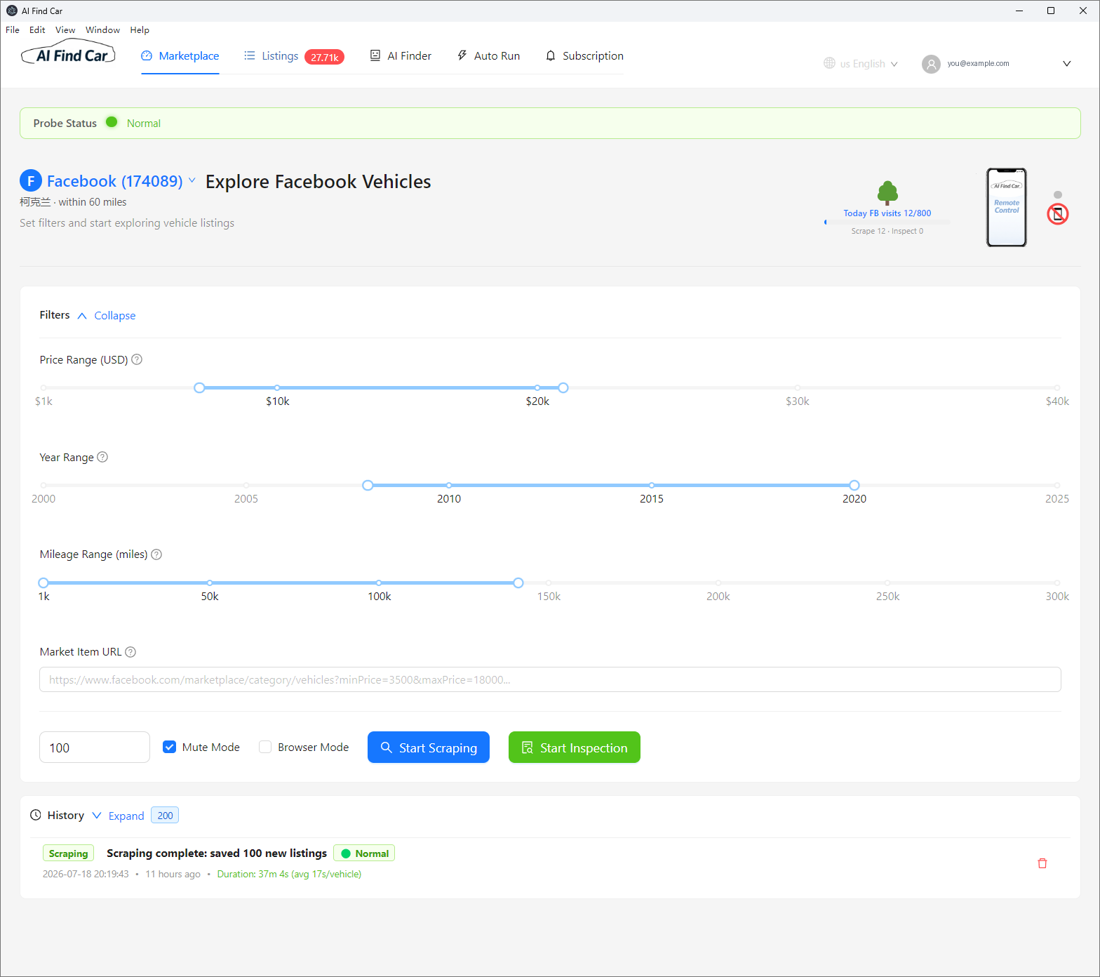
AI Find Car · Capture
AI Find Car Capture screen

02 — Evaluate

An honest AI read on every car

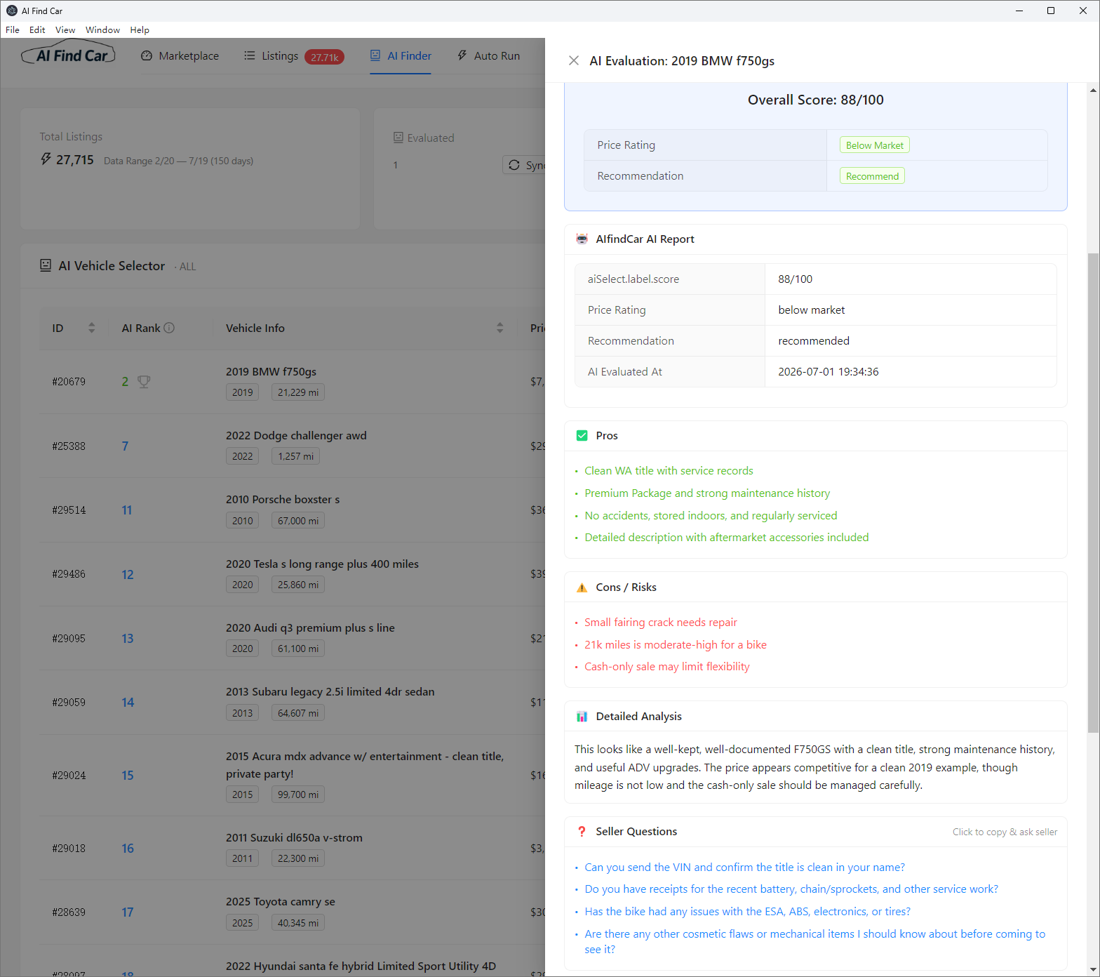
Each car receives a score, price rating, recommendation, detailed pros and risks, seller questions, and negotiation guidance. The report explains the reasoning behind the number.

Know what looks promising—and what needs verification.
AI Find Car · Evaluate
AI Find Car Evaluate screen

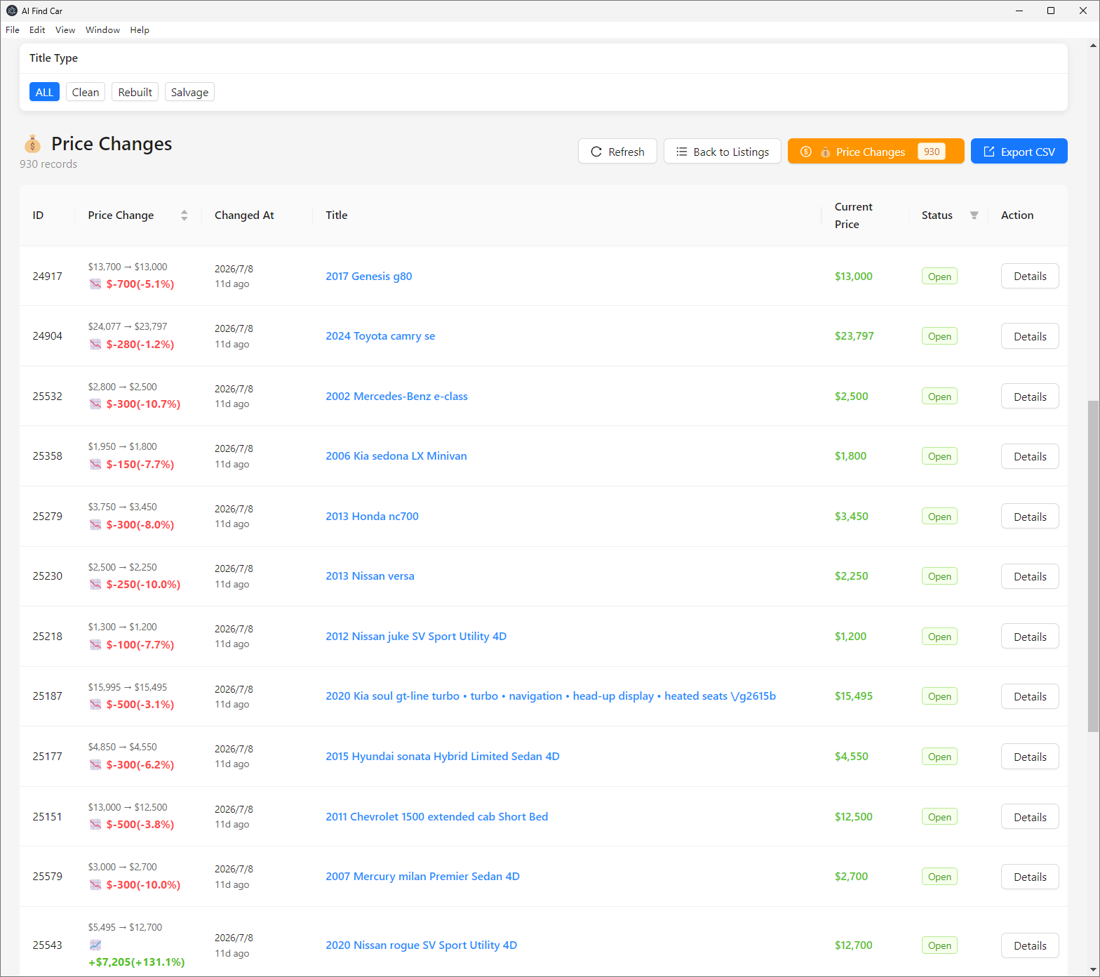
03 — Track

Price and status, kept current as the market moves

AI Find Car revisits saved listings and records price drops, price increases, Open, Pending, Sold, and Closed states. You can see what changed instead of starting over.

A price cut or sold sign never has to surprise you.
AI Find Car · Track
AI Find Car Track screen

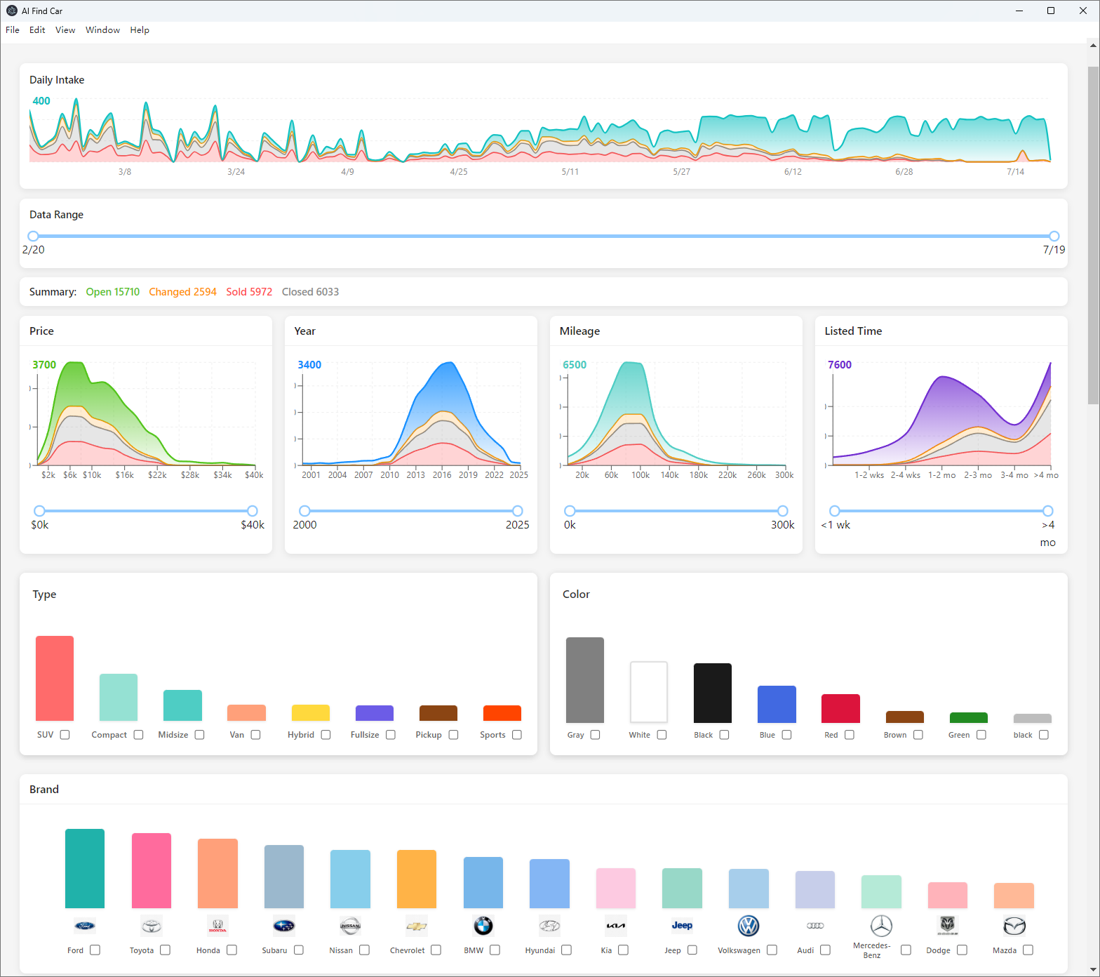
04 — Understand

The whole saved market, at a glance

Compare price, year, mileage, listing age, brand, body type, and color across every car in your local database. A possible deal becomes easier to judge when you can see its market context.

Complete information beats a handful of open tabs.
AI Find Car · Understand
AI Find Car Understand screen

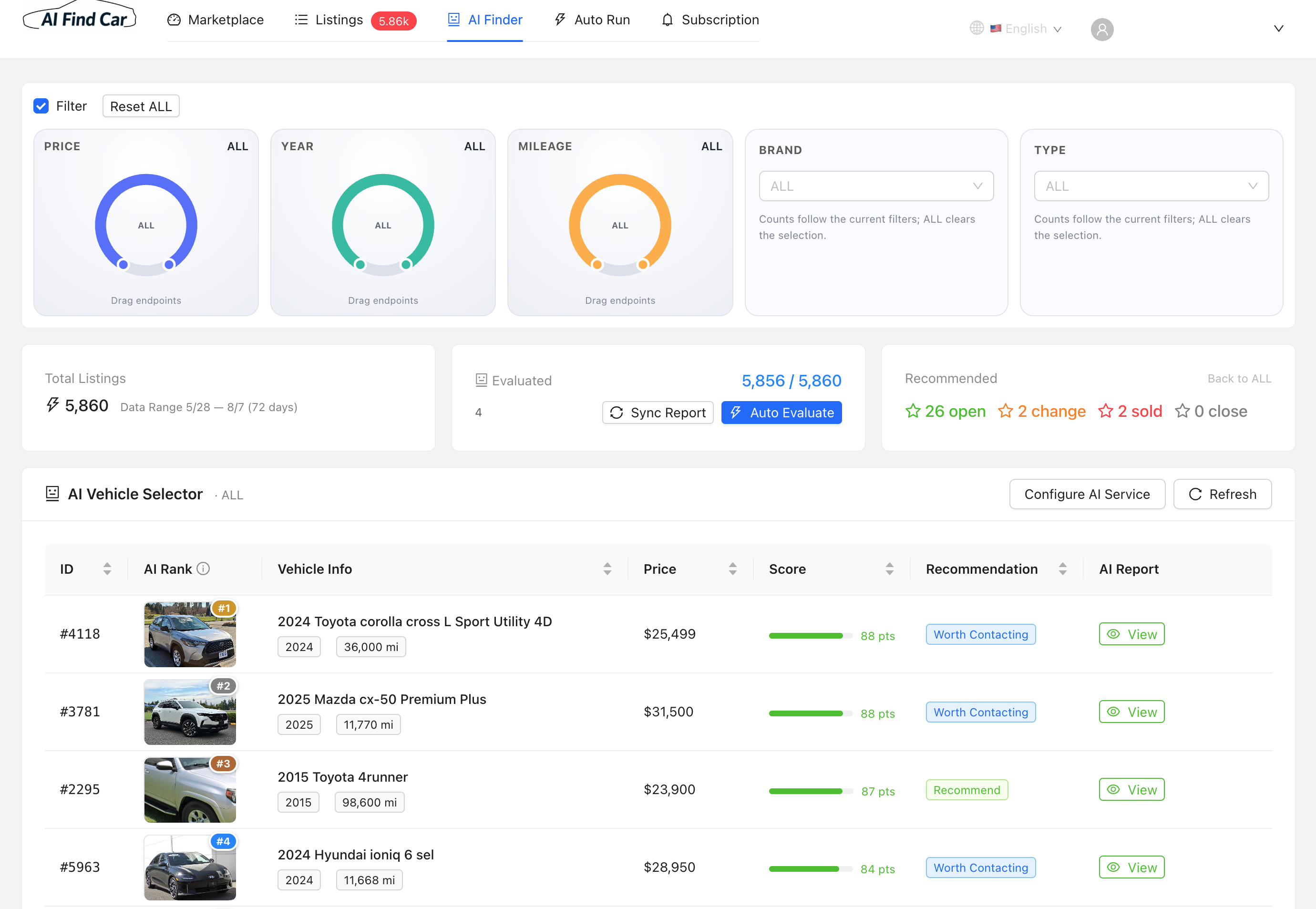
05 — AI Finder

Let the AI rank your best prospects

Filter your saved cars by price, year, mileage, brand and type, then evaluate them in one batch. Every listing gets a 0–100 score, a recommendation such as “Worth Contacting,” and a full AI report — ranked so the strongest deals rise to the top.

Skip the scrolling; start with the top picks.
AI Find Car · AI Finder
AI Find Car AI Finder screen

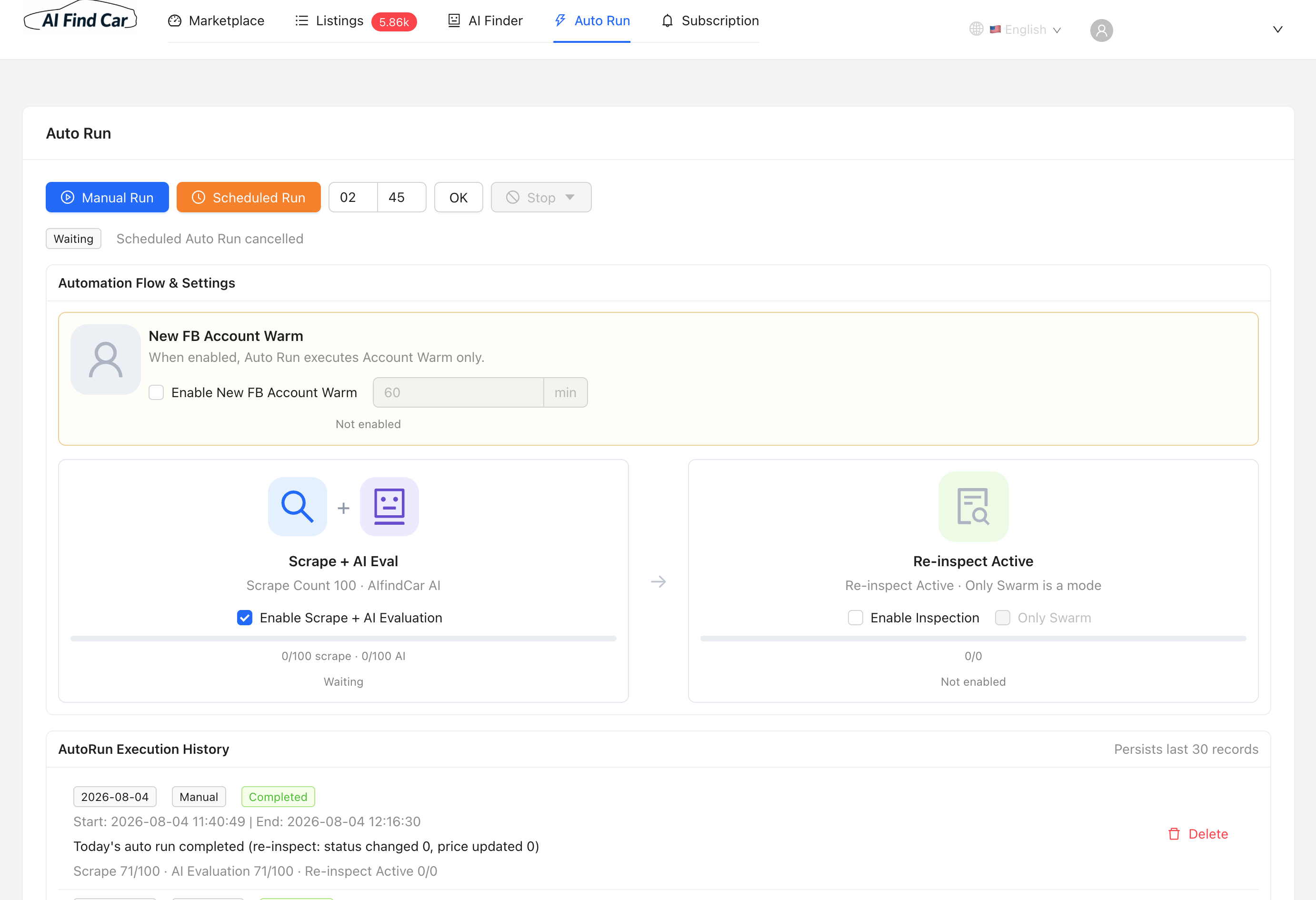
06 — Auto Run

Hands-off scraping, evaluation and tracking

Set a schedule and AI Find Car runs on its own — scraping new listings, evaluating them with AI, then re-inspecting saved cars for price and status changes. A built-in execution history keeps a record of every run.

Wake up to a refreshed, re-scored market.
AI Find Car · Auto Run
AI Find Car Auto Run screen

07 — Connect Facebook

Sign in with your own Facebook account

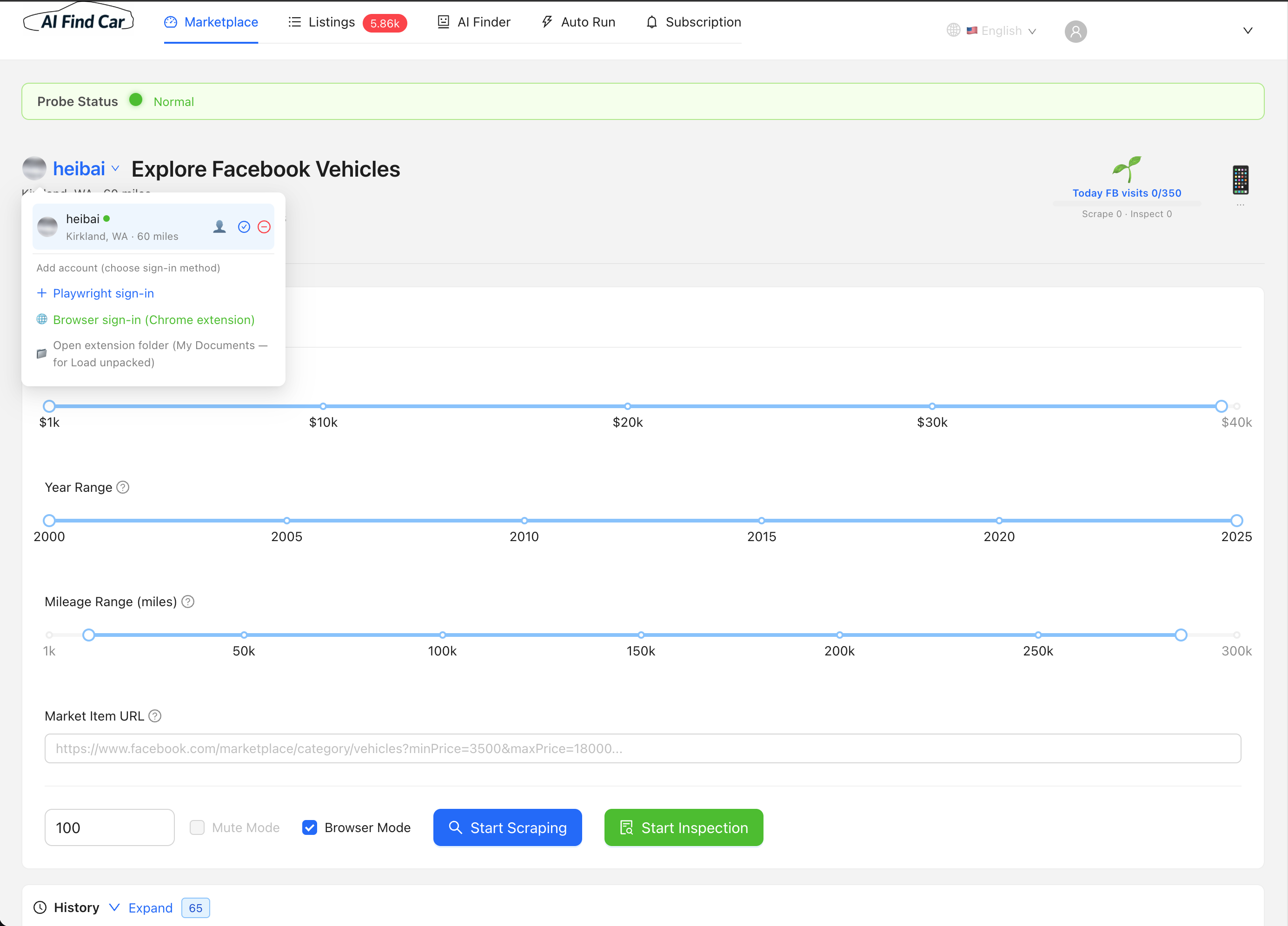
Add the Facebook account used to browse Marketplace — sign in through the built-in browser or the Chrome extension. Manage several accounts and keep an eye on each one’s health and daily visit limit.

Your session stays on your computer.
AI Find Car · Accounts
AI Find Car Facebook account setup screen

08 — Set your market

Choose the location you shop

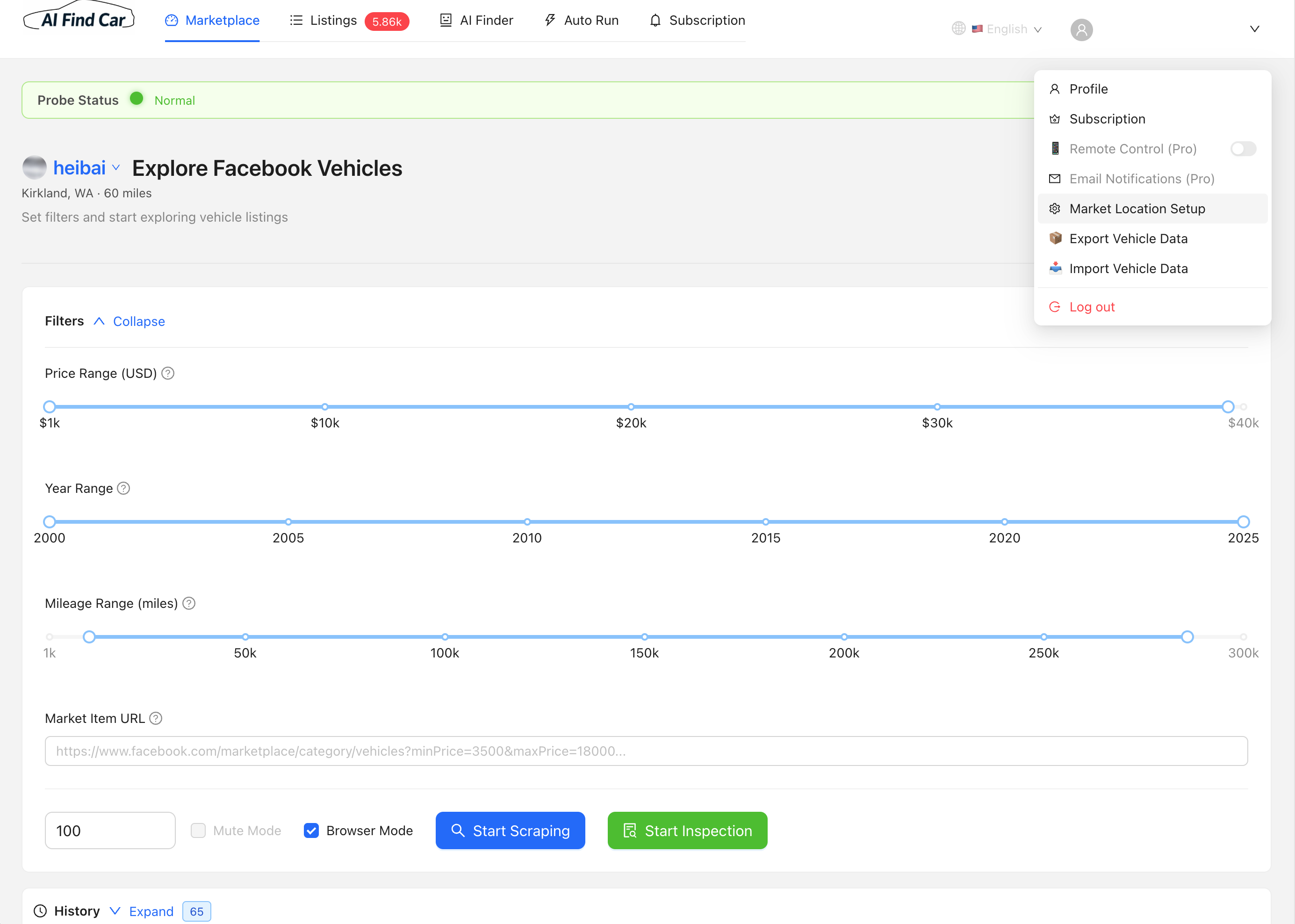
In Market Location Setup, set your city and search radius — for example, Kirkland, WA · 60 miles. That defines exactly which regional Marketplace listings AI Find Car discovers, scrapes and tracks.

Search the market that's local to you.
AI Find Car · Location
AI Find Car market location setup screen

WHY IT MATTERS

The right decision comes from complete, current information.

This value belongs inside the product explanation—not as a separate destination that competes with the user's primary goal.

↔

Compare with confidence

See a car against price, mileage, listing age, and similar local market signals.

✓

Decide without guessing

Use a score, price rating, and explained reasoning to decide what deserves attention.

?

Talk to sellers prepared

Walk into the conversation with specific questions and a realistic negotiation range.

PRIVACY BOUNDARY

The complete listing stays where you use it.

Photos, seller details, full listing text, evaluations, and history remain in the local AI Find Car database on your computer.

  1. 1Marketplace listings are captured by the app.
  2. 2Complete records remain on the user's computer.
  3. 3Anonymized signals can describe market status and change.

START ON YOUR COMPUTER

Put your time back into choosing the car

Free to start. Full listings, seller details, and photos stay on your computer.

Windows 10/11 · macOS on Apple Silicon · No account required to install